



Important — Read Before Use
DK1 Safety Guidelines
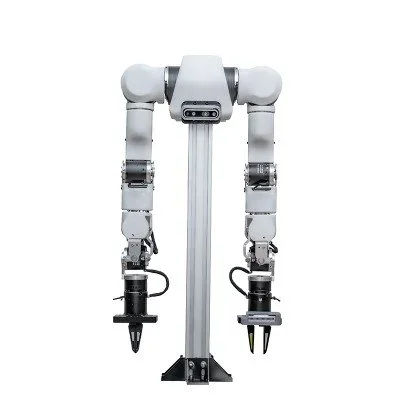
Review all safety guidelines before powering on your DK1 bimanual kit. Proper setup and operation prevents hardware damage and injury.
Mounting & Workspace Setup
Critical — Do this first
Both arms must be mounted securely to the tabletop before powering on. An unsecured arm can tip or fall during operation and cause injury or hardware damage.
- Use all provided mounting hardware to secure both arm bases to the table surface
- Verify that the table is stable and will not shift during operation
- Keep the workspace clear of objects not part of the task within the arms' reach
- Ensure all USB cables are routed away from joint travel paths before powering on
- Maintain a minimum 30 cm clearance from the arm tips to walls or fixed objects
Test Single-Arm Before Bimanual
Always test each arm individually before enabling bimanual mode. This verifies calibration, port assignment, and servo health independently.
- Power on and test the right follower arm in single-arm mode first
- Verify full range of motion without stalls or errors
- Power on and test the left follower arm independently
- Only proceed to bimanual mode after both arms pass individual checks
Cable Management
USB cables are the primary communication channel for each arm. Improper cable routing is a common cause of unexpected stops and hardware damage.
- Route cables along the outer edge of the arm mounting surface, not through the workspace
- Use cable clips or ties to secure cables so they cannot be pulled taut during motion
- Check that cables do not wrap around joints as the arm moves through its range
- Disconnect unused cables from the host computer when not in use
Servo Stall Protection
Never force joints manually while powered
Forcing a joint against its range of motion or against a servo that is actively holding position can burn out motors and strip gears. Always power off before manually repositioning an arm.
- Do not manually push or pull arm joints while the arm is powered and active
- If a servo emits heat or unusual sound, power off immediately
- Allow servos to cool between long recording sessions
- Do not hold the arm at joint limits for extended periods
Emergency Stop Procedure
Immediate stop
Disconnect the USB cables from the host computer to immediately cut all communication to both arms. This is the fastest way to stop arm motion.
In case of unexpected arm motion or software freeze:
- Press Ctrl+C to interrupt the running LeRobot process
- If the arm does not stop, disconnect the USB cable from the host computer
- Power off the follower arm at the power supply
- Inspect all joints and cable routing before restarting
- Re-run calibration if any unexpected stop occurred:
uv run lerobot-calibrate
Payload Limits
The DK1 is designed for lightweight manipulation research tasks. Exceeding payload limits will cause servo stalls and can permanently damage motors.
Maximum payload: <500 g per arm. This includes the object being grasped plus any tool or gripper attachment. Do not use the DK1 for tasks requiring more force than gentle pick-and-place.
- Verify task objects are within the 500 g limit before starting a recording session
- Add object weight to any tool or end-effector attachment when calculating total payload
- Reduce speed in tasks involving heavier payloads within the limit
After a Collision or Unexpected Stop
If either arm collides with an object or experiences an unexpected stop, follow this procedure before resuming operation:
- Power off the arm and disconnect USB
- Physically inspect all servo connections and joint positions
- Check all cable routing for damage or snagging points
- Reconnect USB and re-run calibration for the affected arm(s)
- Perform a slow-speed manual teleoperation pass through the full range of motion before resuming data collection
Need a DK1 unit, spares, or a second one for your lab?
Buy the DK1 →
Lease it monthly →
Collect data with it →